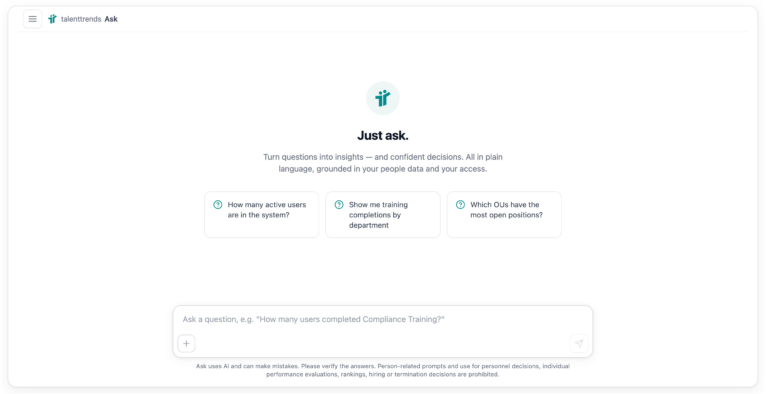
Cornerstone knows who reports to whom, who is in training next week, which skills your team holds, and what depends on every training item. Yet almost every one of these questions still starts with a report — and ends in Excel. talenttrends Micro Apps close the gap between data and answer, right inside the Cornerstone portal. Here is what that means in practice for the two roles that feel it most: managers and administrators.
The pattern behind the problem
Anyone who needs an answer from Cornerstone knows the routine: build a report (if you have the permission), export it, pivot it in Excel, distribute it by email. Or: open a ticket with the reporting team, wait, follow up. Both work — and both are too slow for decisions that are due today. Every export is outdated the day after it’s created, and the actual work — leading, planning, administering — waits.
That is exactly where talenttrends Micro Apps come in: ready-made applications, embedded as Custom Pages in your Cornerstone portal. Single sign-on through Cornerstone itself, no second login, no second system anyone has to maintain. The apps run against your replicated talenttrends Data Hub instead of live APIs — answers arrive in seconds, without rate limits or Reporting 2.0 constraints. And Cornerstone permissions are passed through: nobody sees more than they should.
For managers: leadership questions without the detour
There are four questions practically every manager asks on a regular basis. Each has a painful path today — and an app that makes it obsolete.
“Who on my team is in training next week?” Instead of opening ten transcripts one by one, talenttrends Team ILT Schedule shows a calendar: one row per team member, colour-coded by registration status, from a daily view out to the next six months. Conflicts with the project kickoff surface before they happen.
“What can my team do — and where are the gaps?” talenttrends Team Skills turns the thousand-row skill report into four interactive visualisations: from a radar comparison of two profiles for the next staffing decision to a team-wide heatmap that reveals structural competency gaps.
“How much did the team learn last quarter?” talenttrends Team Trainings delivers the learning balance at a glance: completed trainings, invested learning hours, acquired skills — as KPIs, a topic cloud and a drill-down to every single completion. The steering committee report writes itself along the way.
“Who reports to whom — and who actually approves my requests?” talenttrends Org Chart shows reporting lines, approval chains, OU structures and individual relationships — live and searchable. The PowerPoint org chart that expires the day after export is retired.
And for everything in between, there is talenttrends Ask: questions in natural language — “Which teams are at risk of missing their mandatory training deadlines?” — answered in seconds, grounded in your actual Cornerstone data and restricted to the asker’s own permissions. No reporting ticket, no analyst in between.
The value for managers fits in one sentence: decisions are made on current data instead of gut feeling and three-day-old exports — inside the portal people already work in.
For admins: fewer tickets, more control
Administrators benefit twice — through tools of their own and through relief.
talenttrends Session Overview replaces clicking through twenty session admin pages with a single sortable grid: registrations, waitlist depth, capacity utilisation and status for every upcoming ILT session — including a visual capacity bar and a one-click jump back into the Cornerstone admin page. Where demand exceeds supply, you see it in time — not once the waitlist escalates.
talenttrends Training Impact answers the question every LMS admin faces before touching the catalogue: what breaks if I retire this training? Six types of dependencies — from curricula and prerequisites to equivalencies — in one table, with affected user counts, a criticality score and an interactive relationship graph. Catalogue clean-ups become something you can prioritise instead of something you fear.
And Ask changes the ticket queue: when managers and HR business partners answer their standard questions themselves, the reporting team’s time goes to the analyses that genuinely need expertise — and the dependency on the few people who can build reports shrinks.
Just as important is what Micro Apps don’t do: they create no shadow system. No second login, no second auth stack, no data copy nobody controls any more. Instead: OAuth through Cornerstone, role-based access, complete audit trails for every use, server-side permission enforcement — and Ask is read-only by design. Theme, language, time zone, access rights and usage quotas are configured per portal.
Why this works
Three architectural decisions carry the difference. First: embedding instead of a side system — the apps run where your users already are. That decides adoption. Second: replicated data instead of live APIs — the talenttrends Data Hub delivers sub-second responses even for complex queries. Third: governance by design — permissions, auditing and configuration follow your Cornerstone setup, not the other way around. And you choose the hosting: SaaS with EU data residency (Azure Germany West Central or STACKIT, Schrems II compliant), your own cloud, or on-premises.
Getting started
The catalogue keeps growing — and what’s not in the catalogue can be built as a tailored app by talessio, or by your own team through our public SDK. The natural first step is usually a single app for a clearly defined pain point: the team calendar for managers, the session grid for L&D coordination.
Thirty minutes is enough to see a Micro App in live operation — against our sandbox or your own Cornerstone portal. Book a conversation →